XML Sitemap SEO Audit: How to Find Sitemap Errors and Indexation Problems
Learn how to audit XML sitemaps, find redirects, 404s, noindex, canonical conflicts, and diagnose submitted URLs that are not indexed.
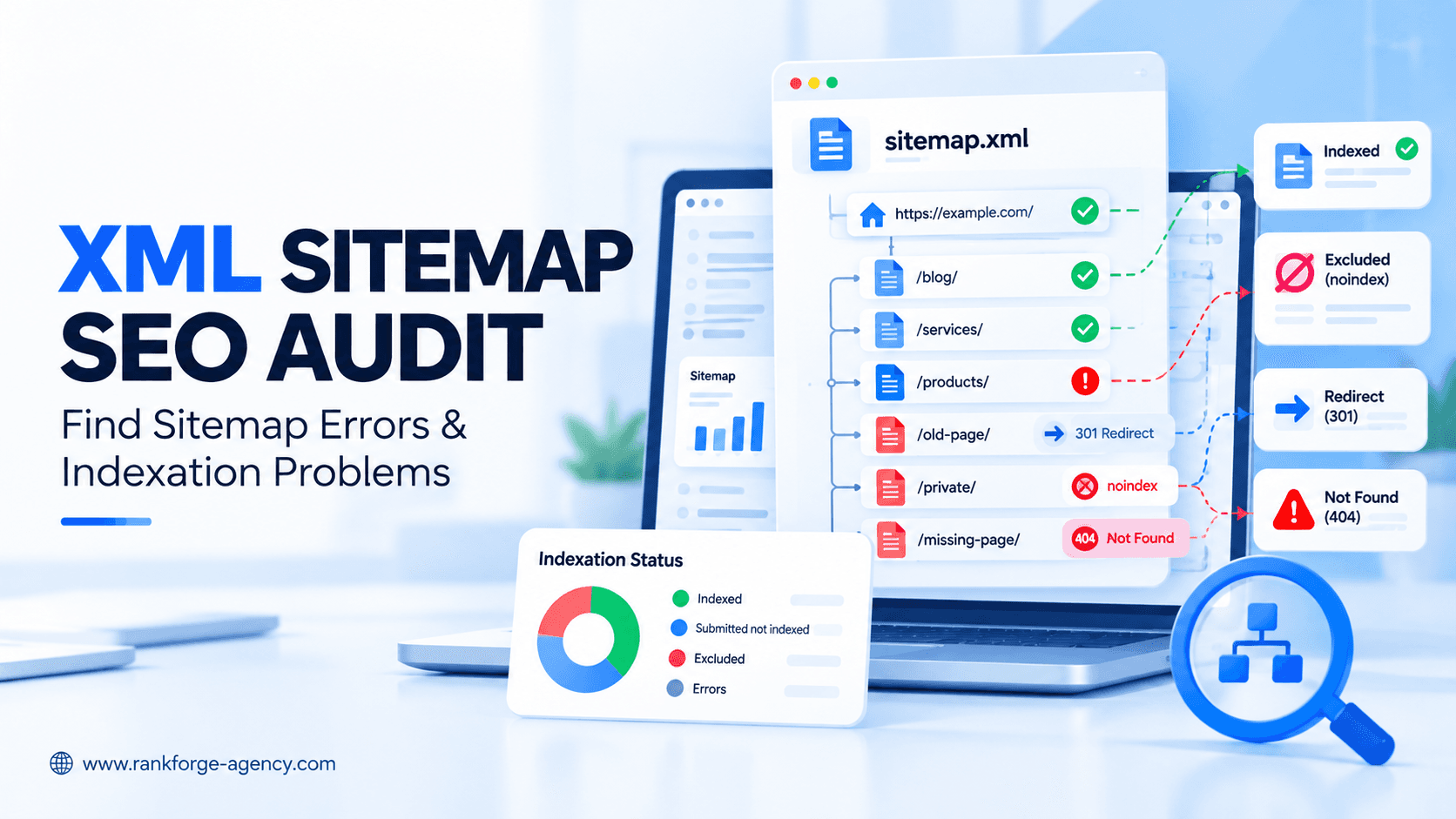
XML Sitemap SEO Audit: How to Find Sitemap Errors and Indexation Problems
An XML sitemap can help search engines discover important URLs on your website, but a sitemap is not a guarantee of indexing.
That distinction matters.
A technically valid sitemap can still contain:
- redirected URLs
404pagesnoindexpages- non-canonical URLs
- duplicate URLs
- blocked URLs
- outdated pages
- URLs that Google knows about but does not index
The goal of an XML sitemap SEO audit is therefore not simply to check whether /sitemap.xml loads.
A useful audit asks:
- Can search engines fetch the sitemap?
- Does the sitemap contain the right URLs?
- Are those URLs canonical and indexable?
- Are important pages missing?
- Are excluded or broken pages included?
- How many submitted URLs are actually indexed?
- Are sitemap errors symptoms of a larger crawl or indexation problem?
This guide explains how to audit an XML sitemap, how to interpret Google Search Console sitemap data, and how to find sitemap-related indexation problems without assuming that every "not indexed" URL is an error.
What Is an XML Sitemap?
An XML sitemap is a machine-readable file that lists URLs you want search engines to know about.
A basic sitemap entry may look like:
<url>
  <loc>https://example.com/services/technical-seo/</loc>
  <lastmod>2026-10-01</lastmod>
</url>
A sitemap can help search engines discover URLs, especially when:
- the website is large
- important pages are deeply nested
- the website is new
- internal linking is still developing
- content changes frequently
- there are many media or international pages
Google describes a sitemap as a file that tells Google which pages on your site you consider important.
Official reference: Google's sitemap documentation
score = (business_value * ranking_gap) / implementation_effortDo You Need an XML Sitemap?
Not every small website absolutely needs one.
Google notes that a small site with roughly 500 pages or fewer may not need a sitemap if all important pages can be discovered through normal internal links from the homepage.
However, even small websites often still benefit from maintaining a clean sitemap because it can:
- simplify URL discovery
- make Search Console monitoring easier
- help diagnose indexing differences
- provide a clear list of preferred canonical URLs
The key is not simply having a sitemap.
It is keeping the sitemap accurate.
XML Sitemap vs Sitemap Index
A single sitemap contains page URLs.
A sitemap index contains links to multiple sitemap files.
For example:
<sitemapindex>
  <sitemap>
    <loc>https://example.com/post-sitemap.xml</loc>
  </sitemap>
  <sitemap>
    <loc>https://example.com/page-sitemap.xml</loc>
  </sitemap>
</sitemapindex>
Large websites commonly use sitemap indexes to separate content types such as:
- products
- categories
- blog posts
- service pages
- locations
- images
- videos
Segmented sitemaps can make indexation audits easier because you can compare performance by section.
For example, if product URLs have a much lower indexing rate than category pages, the problem becomes easier to isolate.
Sitemap Discovery Does Not Guarantee Indexing
This is one of the most common sitemap misconceptions.
Submitting a URL in an XML sitemap does not guarantee that Google will:
- crawl it immediately
- index it
- rank it
- treat it as canonical
Google's Search Console documentation explicitly says that URLs discovered through a sitemap are queued for crawling, but there is no guarantee they will be crawled or indexed.
Official reference: Search Console Sitemaps report
This is why a sitemap audit must connect sitemap data with the Page Indexing report and URL Inspection.
How to Start an XML Sitemap SEO Audit
Begin by locating the sitemap.
Common locations include:
https://example.com/sitemap.xml
https://example.com/sitemap_index.xml
https://example.com/sitemap-index.xml
You may also find sitemap references in:
https://example.com/robots.txtExample:
Sitemap: https://example.com/sitemap.xmlGoogle supports sitemap declarations in robots.txt using an absolute URL.
Official reference: Google robots.txt sitemap directive
Step 1: Check Whether the Sitemap Loads
The sitemap should:
- return a successful response
- be publicly accessible
- contain valid XML
- avoid authentication
- avoid CAPTCHA
- avoid browser-only JavaScript requirements
Common problems include:
404 Not Found403 Forbidden5xxserver errors- redirect loops
- invalid XML
- malformed encoding
- broken sitemap index references
If Google cannot fetch the sitemap, Search Console may report Couldn't fetch.
The Sitemaps report can also show Has errors when Google can read the file but finds parsing or content problems.
Step 2: Check the Sitemap Status in Google Search Console
Open:
Google Search Console → Indexing → Sitemaps
For each submitted sitemap, review:
- Sitemap URL
- Type
- Submitted date
- Last read date
- Status
- Discovered pages
Google currently reports statuses such as:
- Success
- Couldn't fetch
- Has errors
A successful status means Google fetched and processed the sitemap without reported parsing errors.
It does not mean every listed URL is indexed.
Official reference: Search Console Sitemaps report
Step 3: Compare Discovered Pages With Indexed Pages
The number of Discovered pages tells you how many page URLs Google parsed from the sitemap.
That number should not be confused with indexed pages.
For example:
Discovered pages: 4,800
Indexed pages: 3,050
The audit question becomes:
Why are the remaining submitted URLs not indexed?
Use the Page Indexing report and filter by the specific sitemap.
Google allows you to filter indexation reporting by:
- all known pages
- all submitted pages
- unsubmitted pages
- a specific sitemap
Official reference: Google Search Console Page Indexing report
Step 4: Make Sure the Sitemap Contains Canonical URLs
A sitemap should generally contain the URLs you want search engines to treat as the primary versions.
Avoid submitting variants such as:
http://example.com/page/
https://www.example.com/page/
https://example.com/page/?utm_source=test
https://example.com/page?sort=asc
if the preferred canonical is:
https://example.com/page/Common non-canonical sitemap problems include:
- HTTP URLs on an HTTPS site
- www and non-www duplicates
- parameter URLs
- tracking URLs
- session URLs
- alternate pagination variants
- staging URLs
Sitemap consistency strengthens your canonical signals.
For more detail, see our guide to Crawlability vs Indexability.
Step 5: Remove Redirecting URLs
A sitemap should generally contain final destination URLs rather than redirects.
For example, avoid:
/summer-sale-2025/ → 301 → /summer-sale-2026/while still keeping the old URL in the sitemap.
Redirecting URLs create unnecessary crawl steps and make the sitemap less accurate.
How to Find Them
Crawl all sitemap URLs and filter for:
301302307308
Then replace outdated sitemap entries with the final destination URLs.
Step 6: Remove 404 and 410 URLs
Deleted URLs should not remain in an active XML sitemap.
If a URL returns:
404 Not Foundor:
410 Goneremove it from the sitemap unless the sitemap generation system has not yet refreshed.
A sitemap filled with obsolete URLs creates poor crawl signals and makes auditing harder.
Step 7: Remove noindex URLs
A URL that contains:
<meta name="robots" content="noindex">normally should not be included in a sitemap intended to represent indexable pages.
This creates conflicting signals:
Sitemap: "This URL is important and should be discovered."
noindex: "Do not index this page."
If the noindex is intentional, remove the page from the sitemap.
If the page should rank, remove the unintended noindex.
For a broader explanation of crawler and indexation controls, see our Robots.txt SEO Guide.
Step 8: Check robots.txt Conflicts
A sitemap URL can still be blocked in robots.txt.
For example:
User-agent: *
Disallow: /services/
while the sitemap includes:
https://example.com/services/local-seo/
https://example.com/services/technical-seo/
That is a strong signal that the site's crawl configuration needs review.
Use robots.txt to control crawling intentionally, not accidentally.
Step 9: Check Sitemap URLs for Canonical Conflicts
Suppose the sitemap contains:
https://example.com/service-a/but the page declares:
<link rel="canonical" href="https://example.com/service-b/">The sitemap and canonical tag are giving search engines conflicting signals.
Review:
- declared canonical
- Google-selected canonical
- sitemap URL
- redirect behavior
- internal links
The preferred URL should be consistent across these signals where possible.
Step 10: Check for Soft 404s
A URL may return 200 OK but still behave like an error page.
Examples include:
- empty product pages
- deleted category pages with generic content
- "No results found" templates
- pages with almost no useful content
Google may classify these as soft 404s.
If they appear in the sitemap, investigate whether they should:
- be restored
- be removed
- return a proper
404or410 - redirect to a genuinely relevant replacement
Step 11: Find Important Pages Missing From the Sitemap
A sitemap audit should not only look for bad URLs.
It should also look for important missing URLs.
Compare the sitemap against:
- website crawl
- CMS exports
- internal link crawl
- Google Search Console
- analytics landing pages
- important service or product lists
Examples of pages that should be reviewed if missing:
- core service pages
- important product categories
- location pages
- high-value blog posts
- major case studies
Do not automatically add every crawlable URL.
Only include URLs that are intended to be canonical and indexable.
Step 12: Look for Orphan Pages
An orphan page may appear in the sitemap but have no internal links pointing to it.
A sitemap can help search engines discover the URL, but that does not make the site architecture healthy.
Important pages should normally be connected through meaningful internal links.
Find Orphan Pages By Comparing
- sitemap URLs
- crawler-discovered URLs
- analytics URLs
- Search Console URLs
If a sitemap URL does not appear in the normal internal-link crawl, investigate whether it is orphaned.
For important pages, add appropriate internal links.
Step 13: Audit the lastmod Value
XML sitemaps can include:
<lastmod>2026-10-01</lastmod>This should reflect a meaningful page modification.
Do not update every lastmod timestamp automatically every day if the page content did not materially change.
A useful lastmod signal should represent genuine changes to the page.
For frequently updated websites, accurate timestamps can help search engines understand content freshness more efficiently.
Step 14: Check Sitemap Segmentation
Large sites should consider separating sitemaps by meaningful content type.
For example:
/product-sitemap.xml
/category-sitemap.xml
/blog-sitemap.xml
/location-sitemap.xml
This improves diagnosis.
If the blog sitemap has a 95% indexing rate while the product sitemap has 48%, you immediately know where to investigate.
Good segmentation can reveal:
- template problems
- category-level quality issues
- technical indexation patterns
- migration problems
- content-type performance gaps
Common XML Sitemap Errors
Couldn't Fetch
Google cannot access the sitemap.
Check:
- status code
- robots.txt
- firewall
- hosting
- redirects
- DNS
- authentication
Sitemap Has Errors
Google fetched the file but encountered parsing or content issues.
Review the details in Search Console.
Incorrect Sitemap URL
The sitemap may have been moved or regenerated under another path.
Sitemap Contains Redirects
Replace redirecting URLs with their final canonical destinations.
Sitemap Contains noindex Pages
Remove intentionally excluded pages or fix accidental noindex directives.
Sitemap Contains Blocked URLs
Review the robots.txt configuration.
Sitemap Contains 404s
Remove obsolete URLs.
Sitemap Contains Non-Canonical URLs
Replace them with canonical versions.
Why "Submitted but Not Indexed" Needs Investigation
A common audit finding is that many URLs are submitted in the sitemap but remain unindexed.
This does not automatically mean the sitemap is broken.
The sitemap may be functioning perfectly.
The real issue could be:
- duplicate content
- canonicalization
- thin pages
- soft 404s
- weak internal linking
- crawling problems
- server instability
- low-value URL patterns
This is why the Page Indexing report is more important than simply seeing a green sitemap status.
Discovered – Currently Not Indexed
If sitemap URLs appear as Discovered – currently not indexed, Google knows they exist but has not crawled or indexed them yet.
Potential contributors can include:
- weak internal linking
- large site size
- crawl prioritization
- server-capacity concerns
- low-value URL patterns
Do not immediately resubmit the sitemap repeatedly.
Investigate site architecture and page quality.
Crawled – Currently Not Indexed
If a submitted URL appears as Crawled – currently not indexed, Google has already crawled it.
That means the issue is no longer simple discovery.
Review:
- content quality
- duplication
- canonicalization
- soft 404 behavior
- uniqueness
- internal signals
Repeated sitemap submission is unlikely to fix a page Google has already crawled and chosen not to index.
Submitted URL Blocked by robots.txt
If an important submitted page is blocked by robots.txt, your sitemap and crawl policy conflict.
Review the robots.txt rule.
If the page should be indexed, make sure Google can crawl it.
Submitted URL Marked noindex
If an important page is listed in the sitemap and contains noindex, decide which signal is correct.
If the page should rank:
- remove
noindex
If the page should stay excluded:
- remove it from the sitemap
Submitted URL Seems to Be a Soft 404
If Google treats a submitted page as a soft 404, review whether the page has meaningful standalone value.
Do not try to solve this by simply resubmitting the sitemap.
Fix the page itself.
XML Sitemap and Crawlability
Sitemaps help with discovery, but they do not override crawl restrictions.
A sitemap URL can still fail because of:
- robots.txt
- firewall blocks
- authentication
- server errors
- redirect loops
For crawler-access problems, see our AI Crawler Access Guide.
XML Sitemap and Indexability
A sitemap also does not override indexing directives.
A submitted URL may still be excluded because of:
noindex- canonicalization
- duplication
- soft 404 classification
- low-value content
- non-200 response
That is why sitemap auditing should be part of a broader technical SEO process.
XML Sitemap and AI Search
XML sitemaps are primarily a search-engine discovery mechanism.
They can support a clean technical foundation by making preferred public URLs easier to discover.
However, a sitemap alone does not guarantee visibility in:
- ChatGPT
- Google AI Overviews
- Google AI Mode
- Claude
- Perplexity
AI visibility still depends on broader factors such as:
- crawler access
- indexation
- content relevance
- authority
- entity signals
- citations
- source quality
If AI visibility matters, combine sitemap auditing with crawler-access and AI visibility analysis.
See our AI Visibility Checker Guide.
XML Sitemap Audit Checklist
Use this checklist when reviewing a website.
File Health
- Does the sitemap load?
- Does it return
200 OK? - Is the XML valid?
- Is the sitemap current?
- Is the sitemap referenced correctly?
Search Console
- Is the sitemap submitted?
- Does Search Console report Success?
- When was it last read?
- How many pages were discovered?
- How many submitted pages are indexed?
URL Quality
- Are sitemap URLs canonical?
- Are they indexable?
- Do they return
200 OK? - Are there redirects?
- Are there 404s?
- Are there soft 404s?
- Are there
noindexpages?
Crawlability
- Are sitemap URLs blocked by robots.txt?
- Are server or firewall errors present?
- Are important pages crawlable?
Coverage
- Are important pages missing?
- Are obsolete pages included?
- Are orphan pages present?
- Are parameter URLs being submitted?
Canonicalization
- Do sitemap URLs match declared canonicals?
- Does Google select different canonicals?
- Are URL variants being submitted?
Segmentation
- Are large sitemaps divided logically?
- Can indexing problems be isolated by content type?
Freshness
- Is
lastmodused accurately? - Are stale or deleted URLs removed?
How RankForge Audits XML Sitemaps
At RankForge, sitemap auditing is connected to the wider technical SEO system.
We evaluate:
Sitemap → Discovery → Crawlability → Canonicalization → Indexability → Search Visibility
That means we do not report "sitemap submitted successfully" as if the job is finished.
We compare sitemap URLs against:
- crawl data
- HTTP status codes
- robots.txt
- canonical tags
noindex- internal links
- Search Console indexing data
- important site sections
Our Technical SEO Services focus on finding the technical conflicts that prevent important pages from being discovered, crawled, indexed, and surfaced correctly.
FAQ
What is an XML sitemap?
An XML sitemap is a machine-readable file that lists URLs you want search engines to know about. It helps with URL discovery but does not guarantee crawling, indexing, or rankings.
Does submitting a sitemap guarantee indexing?
No. Google explicitly states that discovering a URL in a sitemap does not guarantee that the page will be crawled or indexed.
Should noindex pages be in an XML sitemap?
Generally, no. A sitemap intended for indexable pages should not contain URLs that intentionally use noindex, because those signals conflict.
Should redirects be included in a sitemap?
Usually no. Submit the final canonical destination URL rather than URLs that redirect elsewhere.
How can I find sitemap indexation problems?
Submit the sitemap in Google Search Console, then use the Page Indexing report and filter by that sitemap. Review non-indexed reasons such as robots.txt blocks, noindex, redirects, soft 404s, duplicates, and crawled-not-indexed URLs.
Should every page on my website be in the sitemap?
No. A sitemap should normally focus on canonical, indexable URLs that you want search engines to discover and potentially index.
Final Thoughts
A successful XML sitemap audit is not simply:
"The sitemap exists and Search Console says Success."
The real questions are:
- Is the sitemap accurate?
- Does it contain only canonical, indexable URLs?
- Are important pages missing?
- Are redirecting, broken, blocked, or noindex URLs included?
- How many submitted pages are actually indexed?
- What do the non-indexed URLs have in common?
A sitemap is a discovery signal, not a guarantee.
When sitemap errors appear, treat them as part of a wider technical SEO investigation involving crawlability, canonicalization, internal linking, content quality, and indexability.
If important URLs are missing from the index, sitemap coverage is inconsistent, or Search Console shows large gaps between submitted and indexed pages, explore RankForge's Technical SEO Services or contact RankForge Agency for a structured technical SEO audit.
Ready to turn this into a roadmap?
RankForge can audit your site, prioritize the best opportunities, and build the growth system behind them.
Request free audit