Crawlability vs Indexability: How to Find and Fix SEO Problems
Understand crawlability vs indexability and learn how to diagnose robots.txt, noindex, canonical, sitemap, server, and Search Console issues.
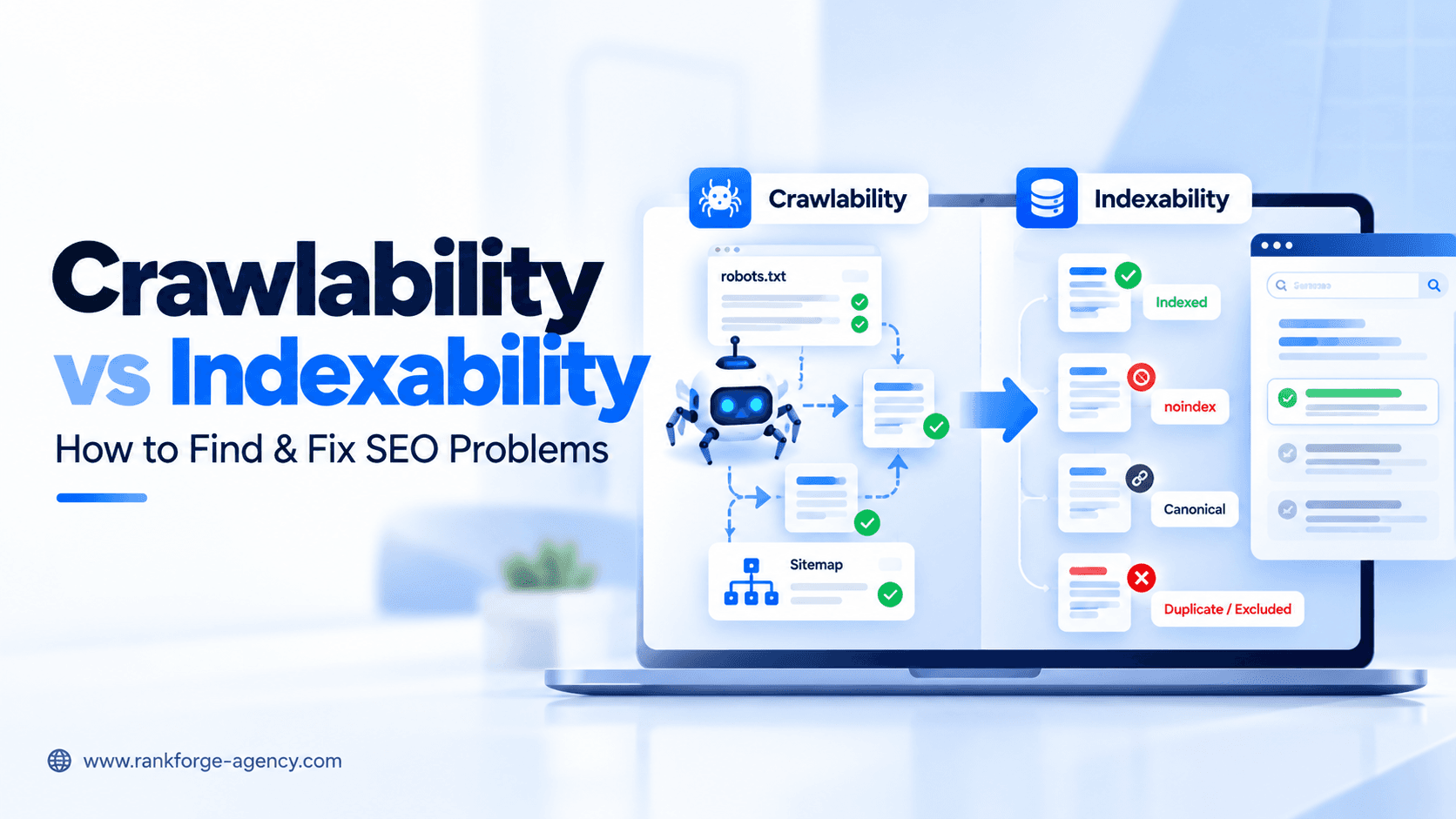
Crawlability vs Indexability: How to Find and Fix SEO Problems
A page can be crawlable but not indexable. It can also be indexable in theory but difficult for search engines to discover or access.
That distinction is one of the most important concepts in technical SEO.
Crawlability is about whether a search engine can discover and access a URL.
Indexability is about whether that URL is eligible to be stored in a search engine's index and potentially shown in search results.
When these two concepts are confused, SEO teams can spend hours fixing the wrong problem. A page that is blocked from crawling needs a different solution from a page that is crawlable but marked noindex, canonicalized elsewhere, duplicated, or simply not selected for indexing.
This guide explains crawlability vs indexability, the signals that control each one, how to diagnose problems, and how to fix the most common technical SEO issues.
Crawlability vs Indexability: What's the Difference?
The simplest way to separate the two concepts is:
| Area | Crawlability | Indexability |
|---|---|---|
| Main question | Can the crawler access the URL? | Can the URL be indexed? |
| Common controls | robots.txt, server access, links, firewalls | noindex, canonicalization, content quality, status codes |
| Main diagnostic tools | Crawl data, server logs, URL Inspection, Crawl Stats | Page Indexing, URL Inspection, canonical checks |
| Typical problem | Search engine cannot access the page | Search engine can access the page but does not index it |
A page normally needs to be crawlable before search engines can evaluate many page-level indexing signals.
But being crawlable does not guarantee indexing.
Google may crawl a page and still decide not to index it because of duplication, canonicalization, quality, technical directives, or other indexing considerations.
score = (business_value * ranking_gap) / implementation_effortWhat Is Crawlability?
Crawlability describes whether a search-engine crawler can discover and retrieve a URL.
For Google, that usually means Googlebot can:
- Discover the URL
- Request it
- Receive a usable response
- Access the resources needed to understand the page
Several technical factors can interfere with this process.
Common crawlability barriers include:
- robots.txt blocks
401 Unauthorized403 Forbidden429 Too Many Requests5xxserver errors- login requirements
- CDN or firewall blocks
- broken internal links
- orphan pages
- redirect loops
- JavaScript-only navigation
- inaccessible resources
- slow or unstable servers
If an important page cannot be crawled reliably, its search visibility is at risk.
What Is Indexability?
Indexability describes whether a page is eligible to be stored in a search engine's index and potentially appear in search results.
A URL can be crawlable but not indexable.
Common indexability problems include:
noindexdirectives- non-200 responses
- canonical tags pointing elsewhere
- duplicate or near-duplicate content
- Google selecting a different canonical
- soft 404 classification
- thin or low-value content
- pages that provide little unique search value
The important distinction is that search engines may successfully crawl a URL and still decide that another URL should represent that content in the index.
Why Crawlability and Indexability Are Often Confused
Many SEO tools combine crawl and indexation findings into a single health score.
That is convenient for reporting, but it can hide the actual cause of a problem.
For example:
Problem: A service page is missing from Google.
Possible causes include:
- Googlebot cannot crawl it
- the page contains
noindex - the page canonicalizes to another URL
- Google selected another canonical
- the page returns a soft 404
- the page is not internally linked
- the page is too similar to another page
- Google has discovered but not yet indexed it
Each problem requires a different fix.
That is why technical SEO diagnostics should identify where the process is breaking rather than simply labeling a URL as "not indexed."
How Search Engines Move From Discovery to Indexing
A simplified search process looks like this:
Discover → Crawl → Render → Evaluate → Canonicalize → Index → Serve
A problem can occur at any stage.
Discovery
The search engine needs to know the URL exists.
Discovery can happen through:
- internal links
- XML sitemaps
- external links
- redirects
- previously known URLs
Crawling
The crawler requests the page.
At this stage, robots.txt, server errors, firewalls, and access controls matter.
Rendering
For JavaScript-heavy pages, the crawler may need to render the page to see important content and links.
Evaluation
The search engine evaluates the content, directives, duplication, quality, and other signals.
Canonicalization
If multiple URLs contain the same or very similar content, the search engine may cluster them and select a canonical version.
Indexing
If the page is eligible and selected, it may be stored in the index.
Serving
Indexed pages can then become candidates for search results.
Understanding this sequence makes technical troubleshooting much easier.
Crawlability Problem #1: robots.txt Is Blocking Important URLs
The robots.txt file can prevent compliant crawlers from requesting certain URLs.
Example:
User-agent: *
Disallow: /services/
If important service pages are under /services/, that rule may prevent crawling.
A sitewide block is even more serious:
User-agent: *
Disallow: /
This tells compliant crawlers not to crawl the website.
How to Fix It
Review:
- sitewide disallow rules
- directory-level blocks
- user-agent-specific rules
- old staging rules
- CMS-generated robots.txt changes
Only block areas that genuinely should not be crawled.
For a broader crawler-access review, see the RankForge guide to AI Crawler Access.
Crawlability Problem #2: Server or Firewall Blocks
A page can be allowed in robots.txt but still be inaccessible.
Common responses include:
401 Unauthorized
403 Forbidden
429 Too Many Requests
500 Internal Server Error
503 Service Unavailable
These responses may be caused by:
- authentication
- server instability
- security plugins
- WAF rules
- CDN bot protection
- aggressive rate limiting
- hosting restrictions
How to Fix It
Check:
- server logs
- CDN logs
- firewall rules
- bot-management settings
- hosting error logs
Make sure legitimate search crawlers can access important public pages reliably.
Crawlability Problem #3: Orphan Pages
An orphan page has no meaningful internal links pointing to it.
It may still be discovered through a sitemap or external link, but it is disconnected from the site's normal architecture.
This can weaken:
- discovery
- crawl frequency
- internal authority
- contextual relevance
How to Find Orphan Pages
Compare:
- crawlable URLs
- XML sitemap URLs
- Google Search Console URLs
- analytics landing pages
- CMS URL exports
Pages that exist in one dataset but not in your normal crawl may be orphaned.
How to Fix Them
If the page is important:
- add contextual internal links
- add it to relevant navigation where appropriate
- include it in the XML sitemap
- connect it to the correct topic cluster
If the page is obsolete, consider removing, redirecting, or consolidating it.
Crawlability Problem #4: Poor Internal Linking
Search engines use links to discover pages and understand site structure.
Important pages buried deep in the architecture can be harder to discover and may receive weaker internal signals.
Review:
- crawl depth
- number of internal links
- contextual links
- navigation
- breadcrumb paths
- pagination
- faceted navigation
A strong internal-link structure helps both crawling and topical understanding.
Crawlability Problem #5: JavaScript Hides Important Links or Content
Some sites depend heavily on client-side JavaScript.
If important navigation, links, or main content are unavailable in the initial HTML and difficult to render, crawling can become less reliable.
Check whether important pages are accessible through normal crawlable links.
Prefer standard HTML links where possible:
<a href="/services/technical-seo/">Technical SEO</a>rather than navigation that depends entirely on complex click handlers.
For JavaScript-heavy sites, compare raw HTML with rendered HTML during the audit.
Indexability Problem #1: noindex Directives
A page may be fully crawlable and still excluded from search by a noindex rule.
Example:
<meta name="robots" content="noindex">A similar directive can also be sent through an HTTP header:
X-Robots-Tag: noindexImportant Technical Detail
Search engines need to crawl the URL in order to see a page-level noindex directive.
Blocking the URL in robots.txt can prevent the crawler from seeing that directive.
That is why robots.txt should not be used as a substitute for noindex.
How to Fix It
If the page should rank:
- remove unintended
noindex - check CMS search-visibility settings
- inspect HTTP headers
- review template-level directives
If the page should remain excluded, leave the rule intentionally.
Indexability Problem #2: Canonical Tags Point to Another URL
A canonical tag tells search engines which URL you prefer as the representative version of similar or duplicate content.
Example:
<link rel="canonical" href="https://example.com/preferred-page/">If an important page incorrectly canonicalizes elsewhere, it may not be selected for indexing.
Common Canonical Problems
- every page canonicalizes to the homepage
- category pages canonicalize to the wrong variant
- HTTP URLs canonicalize inconsistently
- parameter pages use conflicting canonicals
- paginated pages canonicalize incorrectly
- staging URLs appear in canonical tags
- canonical tags conflict with redirects
How to Fix It
For unique pages that should index:
- use a self-referencing canonical where appropriate
- make sure the canonical URL returns
200 - keep canonical signals consistent
- avoid conflicting sitemap, redirect, and canonical signals
Google can still choose a different canonical, so validate the final result in Search Console.
Indexability Problem #3: Duplicate and Near-Duplicate Pages
Duplicate content is not automatically a penalty.
But when several URLs contain the same or substantially similar primary content, search engines may cluster them and choose one representative URL.
Common causes include:
- URL parameters
- sort and filter pages
- printer-friendly versions
- HTTP/HTTPS duplication
- www/non-www duplication
- trailing-slash variants
- duplicate location pages
- duplicate product URLs
How to Fix It
Depending on the situation:
- consolidate duplicate pages
- redirect obsolete variants
- use canonical tags
- improve genuinely separate pages
- control unnecessary crawl paths
- clean up internal links
The goal is to make the preferred URL obvious and consistent.
Indexability Problem #4: Non-200 Status Codes
Search engines generally need a working page to index it.
Important pages returning:
4044105xx
are not healthy indexing candidates.
Redirects such as 301 and 302 also point search engines toward another URL rather than functioning as normal indexable content pages.
How to Fix It
For important pages:
- restore the page if it was removed accidentally
- fix server errors
- redirect retired URLs to relevant replacements
- update internal links to final destinations
Do not redirect every removed URL to the homepage.
Indexability Problem #5: Soft 404s
A soft 404 occurs when a page technically returns 200 OK but appears to contain little or no useful content, or behaves like a missing page.
Examples include:
- empty category pages
- deleted product pages returning a generic template
- "not found" messages with a 200 status
- nearly blank pages
How to Fix It
If the content no longer exists:
- return a real
404or410
If the page should exist:
- restore meaningful content
- provide relevant information
- ensure the template is not misleading search engines
Indexability Problem #6: Google Selects a Different Canonical
You can declare a preferred canonical, but search engines may choose another URL.
Signals that influence canonical selection can include:
- redirects
- canonical tags
- sitemap inclusion
- internal links
- HTTPS consistency
- content similarity
If Google chooses an unexpected canonical, investigate conflicting signals.
Do not assume the canonical tag alone controls the outcome.
Discovered but Not Indexed vs Crawled but Not Indexed
These Search Console statuses often create confusion.
Discovered — Currently Not Indexed
This generally means Google knows the URL exists but has not crawled it yet or has deferred crawling.
Possible contributors include:
- large URL inventory
- low crawl demand
- poor internal linking
- server-capacity concerns
- low-value URL patterns
Crawled — Currently Not Indexed
This means Google crawled the URL but did not index it at that time.
Potential reasons can include:
- duplication
- weak or limited unique value
- canonicalization
- content quality
- indexing prioritization
Do not assume that repeatedly requesting indexing will solve the root cause.
Investigate the URL and the surrounding site architecture first.
How to Diagnose Crawlability Problems
A practical crawlability audit should combine several data sources.
1. Crawl the Website
Use a crawler to identify:
- blocked URLs
- response codes
- redirect chains
- internal links
- crawl depth
- orphan candidates
- canonical tags
- directives
If you are choosing software, see our guide to Technical SEO Audit Tools.
2. Review robots.txt
Check whether important content is blocked accidentally.
3. Check Server Logs
Server logs show whether search crawlers are actually requesting pages and what responses they receive.
4. Use Google Search Console Crawl Stats
Crawl Stats can help identify:
- host availability
- response-code patterns
- crawl activity
- file types
- Googlebot types
5. Use URL Inspection
For individual URLs, URL Inspection can help verify whether Google can access the page and what Google understands about indexing and canonicalization.
How to Diagnose Indexability Problems
Indexability requires a different set of checks.
1. Review the Page Indexing Report
Look for patterns such as:
- excluded by
noindex - redirect pages
- duplicate pages
- alternate pages with canonical
- crawled but not indexed
- discovered but not indexed
- server errors
- soft 404s
2. Check Page-Level Directives
Review:
- robots meta tags
X-Robots-Tag- canonical tags
3. Check Status Codes
Confirm that important pages return 200 OK.
4. Compare Canonical Signals
Compare:
- declared canonical
- Google-selected canonical
- sitemap URL
- internal-link target
- redirect destination
5. Evaluate Content Value
If all technical signals look correct, review whether the page provides enough unique value to justify separate indexing.
Crawlability vs Indexability Audit Checklist
Use this checklist when diagnosing a page that is not appearing in search.
Crawlability
- Is the URL discoverable through internal links?
- Is it in the XML sitemap?
- Does robots.txt allow crawling?
- Does the server return
200 OK? - Is the CDN or WAF blocking crawlers?
- Are there redirect loops?
- Can important content be rendered?
- Is the page orphaned?
- Are internal links crawlable?
Indexability
- Is there a
noindexdirective? - Is there an
X-Robots-Tag: noindexheader? - Does the page canonicalize elsewhere?
- Did Google choose another canonical?
- Is the page a duplicate?
- Is it a soft 404?
- Does it provide unique value?
- Is the URL returning a non-200 status?
- Is the page included in the correct sitemap?
Search Console
- What does URL Inspection report?
- What does the Page Indexing report show?
- Has Google crawled the URL?
- Which canonical did Google select?
- Are similar URLs showing the same issue?
Common Diagnostic Mistakes
Mistake 1: Using robots.txt to Remove a Page From Search
robots.txt controls crawling.
It is not the correct tool for reliably removing a normal HTML page from Google's index.
Use noindex if the page should be accessible but excluded from search, and allow the crawler to access the page so it can see the directive.
Mistake 2: Assuming a Sitemap Guarantees Indexing
A sitemap helps discovery.
It does not guarantee that a URL will be crawled immediately or indexed.
Only include canonical, indexable URLs that you genuinely want search engines to process.
Mistake 3: Treating Every "Not Indexed" URL as an Error
Not every URL should be indexed.
Examples that may reasonably remain excluded include:
- duplicate parameter pages
- internal search results
- cart URLs
- account pages
- filtered variants
- obsolete URLs
Focus on pages that are strategically important.
Mistake 4: Fixing Crawlability When the Real Problem Is Indexability
If Google already crawled the page, changing robots.txt is unlikely to solve a canonicalization or content-value problem.
Start with the actual evidence.
Mistake 5: Fixing Indexability Without Improving Discovery
A perfectly indexable page can still be weakly discovered if it is buried deep in the architecture or lacks internal links.
Technical SEO requires both sides of the equation.
Crawlability and Indexability for Large Websites
The distinction becomes even more important on large sites.
Ecommerce stores, marketplaces, publishers, and SaaS platforms can generate enormous URL inventories through:
- filters
- parameters
- pagination
- search pages
- tags
- archives
- dynamic routes
If crawlers spend too much time on low-value URLs, important pages may receive less attention.
Large-site audits should therefore evaluate:
- crawl efficiency
- faceted navigation
- duplicate URL patterns
- canonicalization
- sitemap segmentation
- internal linking
- response times
- server capacity
The objective is not to force search engines to crawl every URL.
It is to make important URLs easy to discover, access, interpret, and index.
Crawlability and Indexability in AI Search
These principles also matter beyond traditional search listings.
AI search systems still depend on accessible, understandable web content.
A page that is blocked, unavailable, improperly canonicalized, or excluded from indexing may have fewer opportunities to appear as a source or citation.
That does not mean traditional indexation rules work identically across every AI platform.
But the technical foundation remains important.
For AI-specific access checks, read AI Crawler Access: How to Check Whether ChatGPT, Claude, Perplexity & Google Can Crawl Your Website.
For broader measurement, see AI Visibility Checker: How to Measure Your Brand in ChatGPT, Google AI Mode & AI Overviews.
When to Prioritize Crawlability Fixes
Prioritize crawlability when:
- important pages are blocked in robots.txt
- search crawlers receive server errors
- important pages are orphaned
- navigation is difficult to crawl
- WAF or bot protection blocks legitimate crawlers
- redirect loops prevent access
- rendering hides important content
These issues prevent search engines from reliably reaching or understanding the content.
When to Prioritize Indexability Fixes
Prioritize indexability when:
- important pages contain
noindex - canonical tags point to the wrong URL
- Google selects unexpected canonicals
- duplicate pages compete for indexing
- pages are classified as soft 404s
- important URLs are crawled but not indexed
- obsolete URL variants dominate the index
The priority should be based on the business value of the affected pages, not simply the raw number of warnings.
How RankForge Approaches Crawlability and Indexability
At RankForge, we do not treat crawlability and indexability as one generic "site health" metric.
We separate the diagnostic process:
Discovery → Crawl Access → Rendering → Indexability → Canonicalization → Search Visibility
That makes it easier to identify the real cause of a problem and prioritize fixes that affect important pages.
Our Technical SEO Services cover issues such as:
- crawl barriers
- robots.txt
- indexability
- canonicalization
- XML sitemaps
- internal linking
- JavaScript rendering
- server response problems
- crawl efficiency
- Search Console diagnostics
The goal is not to produce the largest possible list of technical warnings.
It is to identify which problems are actually limiting organic search performance.
FAQ
What is the difference between crawlability and indexability?
Crawlability is whether a search crawler can discover and access a page. Indexability is whether that page is eligible to be stored in the search engine's index and potentially appear in search results.
Can a page be crawlable but not indexable?
Yes. A page can be accessible to crawlers but contain a noindex directive, canonicalize to another URL, be considered a duplicate, or otherwise not be selected for indexing.
Can a page be indexed if robots.txt blocks it?
A URL can sometimes still appear in search results if Google knows about it through links even when crawling is blocked. However, Google cannot crawl the page normally to understand its content or see page-level directives such as noindex.
Does an XML sitemap guarantee indexing?
No. A sitemap helps search engines discover URLs, but it does not guarantee crawling, indexing, or rankings.
How do I check why a page is not indexed?
Use Google Search Console's URL Inspection and Page Indexing reports, then review the page's robots directives, status code, canonical tag, internal links, sitemap inclusion, and content uniqueness.
Final Thoughts
Understanding crawlability vs indexability makes technical SEO troubleshooting much more precise.
If a page is not appearing in search, first ask:
Can the crawler discover and access it?
Then ask:
Is the page actually eligible and suitable for indexing?
That sequence prevents wasted effort.
Crawlability problems often involve:
- robots.txt
- server access
- internal linking
- firewalls
- rendering
- redirects
Indexability problems often involve:
noindex- canonicals
- duplicate content
- soft 404s
- non-200 responses
- page quality and uniqueness
The strongest technical audits do not stop at finding a warning. They identify where the search process is breaking and recommend the fix that addresses the real problem.
If important pages are missing from search, being crawled inconsistently, or indexed under the wrong URLs, explore RankForge's Technical SEO Services or contact RankForge Agency for a structured technical SEO audit.
Ready to turn this into a roadmap?
RankForge can audit your site, prioritize the best opportunities, and build the growth system behind them.
Request free audit