AI Crawler Access: How to Check Whether ChatGPT, Claude, Perplexity & Google Can Crawl Your Website
Learn how to check AI crawler access for ChatGPT, Claude, Perplexity, and Google, including robots.txt, WAF, CDN, and HTTP access checks.
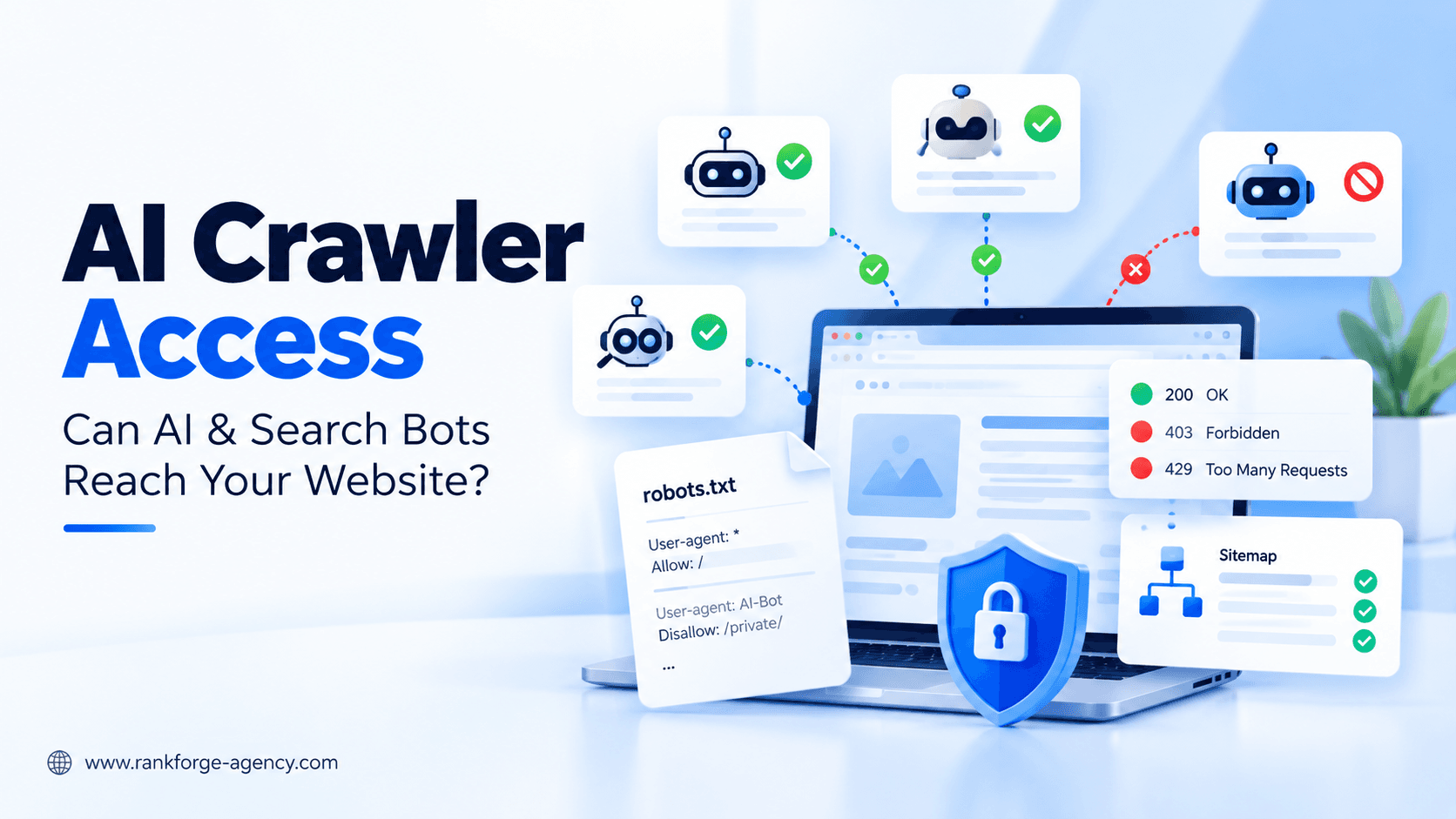
AI Crawler Access: How to Check Whether ChatGPT, Claude, Perplexity & Google Can Crawl Your Website
If search engines or AI systems cannot access your website, they have fewer opportunities to discover, understand, index, cite, or surface your content.
That makes AI crawler access an increasingly important technical SEO check.
Website owners now need to think beyond Googlebot alone. Depending on your goals, your site may also need to be accessible to crawlers or fetchers used by:
- OpenAI and ChatGPT
- Anthropic and Claude
- Perplexity
- Google Search
- Gemini-related systems
But these bots do not all serve the same purpose.
Some crawl for search. Some collect content that may be used for model training. Some fetch pages when a user asks an AI assistant to access a URL. Others are product-control tokens rather than separate crawlers.
This guide explains how the major crawlers work, how to check whether they can access your website, and how to diagnose the technical issues that commonly block AI and search discovery.
What Is AI Crawler Access?
AI crawler access describes whether an automated system associated with an AI or search product is technically able and permitted to retrieve content from your website.
Access can depend on several layers:
robots.txt- HTTP response codes
- CDN or firewall rules
- Bot-protection settings
- Rate limiting
- Authentication
- JavaScript challenges
- Geographic restrictions
- Server availability
- Meta robots directives
A website can therefore appear completely accessible in a normal browser while still blocking an important crawler.
For example, a human visitor may receive a normal 200 OK response while an automated crawler receives:
401 Unauthorized403 Forbidden429 Too Many Requests- A CAPTCHA
- A JavaScript challenge
- A blank response
- A redirect loop
That distinction matters because robots.txt is only one part of crawler accessibility.
score = (business_value * ranking_gap) / implementation_effortCrawling, Indexing, AI Search Visibility, and Training Are Not the Same Thing
One of the most important concepts in an AI crawler audit is that crawler access does not always mean the same thing.
A bot may access the web for:
- Search indexing
- AI search retrieval
- User-requested page access
- Model training
- Product-specific grounding
These uses should not be treated as interchangeable.
For example, OpenAI separates its search crawler from its training crawler. OpenAI's official crawler documentation states that OAI-SearchBot is used for ChatGPT search while GPTBot is used to crawl content that may be used to improve and train generative AI foundation models.
Source: OpenAI crawler documentation
Likewise, Anthropic documents separate robots for model development, search, and user-triggered retrieval.
Source: Anthropic crawler documentation
That means your crawler policy should reflect your business goals rather than simply allowing or blocking every AI-related bot with one rule.
Major AI and Search Crawlers to Know
Here is a practical overview of the crawler identities most relevant to this audit.
| Company | Bot / Token | Main Purpose |
|---|---|---|
| OpenAI | OAI-SearchBot | ChatGPT search discovery |
| OpenAI | GPTBot | Potential model-training content collection |
| OpenAI | ChatGPT-User | User-triggered page access |
| Anthropic | Claude-SearchBot | Search discovery for Claude |
| Anthropic | ClaudeBot | Model-development / training-related crawling |
| Anthropic | Claude-User | User-triggered retrieval |
| Perplexity | PerplexityBot | Search crawling |
| Perplexity | Perplexity-User | User-triggered retrieval |
Googlebot | Google Search crawling | |
Google-Extended | Product token controlling certain Gemini uses |
The differences between these bots are important because a website owner may reasonably want different policies for search, training, and user-triggered access.
OpenAI: OAI-SearchBot, GPTBot, and ChatGPT-User
OpenAI currently separates search crawling, training-related crawling, and user-triggered page access.
OAI-SearchBot
OAI-SearchBot is the crawler associated with ChatGPT search.
OpenAI recommends allowing it if you want your content to be eligible to appear in ChatGPT search results, summaries, citations, and links.
A simple robots.txt rule may look like this:
User-agent: OAI-SearchBot
Allow: /
OpenAI also publishes crawler IP ranges so website owners can verify or allow legitimate crawler traffic at the firewall or CDN level.
Official source: OpenAI crawler documentation
GPTBot
GPTBot serves a different purpose.
OpenAI states that GPTBot crawls content that may be used to improve and train its generative AI foundation models.
A site can therefore allow ChatGPT search crawling while choosing not to allow GPTBot.
For example:
User-agent: OAI-SearchBot
Allow: /

User-agent: GPTBot
Disallow: /
That distinction can be useful for publishers that want search discovery but maintain a separate policy for model-training access.
ChatGPT-User
ChatGPT-User is used for certain user-triggered actions.
OpenAI explains that when a user asks ChatGPT or a Custom GPT to access a web page, the system may visit that page using the ChatGPT-User agent.
Because these requests are initiated by a user, OpenAI notes that robots.txt behavior may differ from automatic crawling. Website owners should use OAI-SearchBot when managing automatic ChatGPT search crawling.
Anthropic: ClaudeBot, Claude-SearchBot, and Claude-User
Anthropic also documents separate robots for different use cases.
Claude-SearchBot
Claude-SearchBot is used to navigate the web and improve search-result quality for Claude users.
Anthropic says that disabling this bot can reduce a site's visibility and accuracy in Claude search results.
A robots.txt rule could look like:
User-agent: Claude-SearchBot
Allow: /
Official source: Anthropic web crawler guidance
ClaudeBot
ClaudeBot is associated with collecting public web content that may potentially contribute to Anthropic's model-training datasets.
A business may therefore choose a different policy for ClaudeBot than for Claude-SearchBot.
For example:
User-agent: Claude-SearchBot
Allow: /

User-agent: ClaudeBot
Disallow: /
Claude-User
Claude-User supports user-directed retrieval.
If a Claude user asks the system to access or retrieve information from a website, this agent may be involved.
Anthropic notes that disabling it can prevent content from being retrieved in response to user queries and may reduce visibility in user-directed web search.
PerplexityBot and Perplexity-User
Perplexity operates as an AI answer engine that relies heavily on current web information and source citations.
PerplexityBot is its search crawler.
Perplexity states that the crawler respects robots.txt rules and manages crawl rates while indexing and understanding public web content.
A simple robots.txt rule might be:
User-agent: PerplexityBot
Allow: /
Perplexity also documents Perplexity-User for user-triggered retrieval activity.
Official source: Perplexity crawler guidance
Perplexity has also described PerplexityBot as the crawler used by its AI-first search infrastructure.
Additional source: Perplexity on AI-first search crawling
Googlebot and Google-Extended
Google requires careful distinction between Googlebot and Google-Extended.
Googlebot
Google Search uses Googlebot to crawl websites.
If you want pages to appear in Google Search, Googlebot access remains fundamental.
A standard rule may look like:
User-agent: Googlebot
Allow: /
Google's crawler documentation confirms that crawling preferences for Googlebot affect Google Search and its search features.
Official source: Google's common crawlers documentation
Google-Extended
Google-Extended is not a separate HTTP crawler user-agent in the normal sense.
Google describes it as a standalone robots.txt product token that publishers can use to manage whether Google-crawled content may be used for certain Gemini-related purposes, including future Gemini model training and grounding in supported Gemini products.
Importantly, Google says that Google-Extended does not affect inclusion in Google Search and is not used as a Google Search ranking signal.
For example:
User-agent: Google-Extended
Disallow: /
does not mean the same thing as:
User-agent: Googlebot
Disallow: /
The first controls specific Gemini-related uses. The second can directly affect normal Google Search crawling.
Official source: Google crawler and Google-Extended documentation
How to Check Your robots.txt File
Start by opening:
https://yourdomain.com/robots.txtThe file should load publicly without requiring:
- Login
- Cookies
- JavaScript
- CAPTCHA
- Authentication
Look for rules involving:
User-agent: *and specific crawler names such as:
OAI-SearchBot
GPTBot
ClaudeBot
Claude-SearchBot
PerplexityBot
Googlebot
Google-Extended
Example Search-Friendly Configuration
A business that wants broad search discovery might use rules similar to:
User-agent: Googlebot
Allow: /

User-agent: OAI-SearchBot
Allow: /

User-agent: Claude-SearchBot
Allow: /

User-agent: PerplexityBot
Allow: /
Training-related crawlers can then be handled separately according to the organization's policy.
Do not copy robots.txt examples blindly. Your website may have legitimate rules for:
- Admin areas
- Cart or checkout pages
- Internal search
- Parameter URLs
- Staging environments
- Private documents
- Duplicate crawl paths
robots.txt Is Only the First Check
A crawler being allowed in robots.txt does not prove that it can successfully access the website.
This is one of the most common mistakes in crawler auditing.
The crawler still needs to get through the rest of your infrastructure.
Check HTTP Status Codes
Important public pages should normally return a successful response such as:
200 OKWatch for:
301and302redirect chains401 Unauthorized403 Forbidden404 Not Found429 Too Many Requests5xxserver errors
A bot that receives a 403 is effectively blocked even if robots.txt says:
Allow: /OpenAI specifically recommends checking robots.txt, firewalls, CDNs, and bot-protection systems when legitimate crawler requests fail.
Check Your CDN, WAF, and Firewall
Modern websites frequently sit behind systems such as:
- Cloudflare
- Akamai
- AWS WAF
- Fastly
- Sucuri
- Hosting-provider security layers
These systems can classify legitimate crawler requests as suspicious automation.
Review whether your infrastructure is returning:
403 Forbidden- CAPTCHA challenges
- JavaScript challenges
- Rate-limit errors
- Country-level blocks
- Bot-management blocks
A correct robots.txt file cannot override a firewall that refuses the request.
Do Not Trust the User-Agent Alone
A user-agent string can be spoofed.
Anyone can send a request that claims to be:
OAI-SearchBotor:
GooglebotThat does not prove the request actually came from OpenAI or Google.
Where a provider publishes verification methods or IP ranges, use them when creating firewall allowlists.
OpenAI publishes crawler IP ranges in its official crawler documentation.
Google also provides guidance for verifying legitimate Google crawler requests.
Official source: Google crawling infrastructure
Test With Server Logs
Server logs provide some of the strongest evidence that a crawler is actually reaching your website.
Search for user agents such as:
OAI-SearchBot
Claude-SearchBot
PerplexityBot
Googlebot
Then review:
- Requested URL
- Status code
- Timestamp
- User-agent
- Response size
- IP address
A log entry such as:
OAI-SearchBot → /technical-seo-guide/ → 200provides far stronger evidence than assuming access works because your robots.txt looks correct.
Test With curl
Developers can also simulate crawler-like requests from the command line.
For example:
curl -I -A "OAI-SearchBot" https://example.com/Or:
curl -I -A "Claude-SearchBot" https://example.com/This can reveal whether your server behaves differently based on the user-agent.
However, it is not final proof that the real crawler can access the site because the test still comes from your own IP address.
Use curl as a diagnostic tool, then verify with server logs and provider-specific crawler information where possible.
Check for noindex
Crawling and indexing are different.
A crawler may be allowed to access a page while the page includes:
<meta name="robots" content="noindex">For Google, a page generally needs to be crawlable for Google to see the noindex directive.
The broader diagnostic lesson is simple:
Crawler access alone does not guarantee indexing or visibility.
Check Canonical Tags
A page may be crawlable but point search systems toward another URL using:
<link rel="canonical" href="https://example.com/preferred-page/">If canonical signals are incorrect, the crawler-access test can pass while the wrong URL is treated as the preferred version.
That is one reason crawler access should be reviewed as part of a wider Technical SEO Audit Checklist, not as an isolated technical check.
Check JavaScript Rendering
Some websites return very little useful content in their initial HTML and rely heavily on JavaScript.
A crawler may receive a 200 OK response but still have difficulty accessing meaningful content.
Review:
- Server-rendered HTML
- Rendered HTML
- Navigation links
- Main content
- Structured data
- Lazy-loaded sections
- Client-side routing
For JavaScript-heavy websites, crawler accessibility should be tested beyond the status code.
Check Your XML Sitemap
A valid XML sitemap can help search systems discover important URLs.
Review whether the sitemap:
- Returns
200 OK - Contains canonical URLs
- Avoids redirected URLs
- Avoids error pages
- Contains indexable URLs
- Is referenced in robots.txt where appropriate
- Remains current
For Google, submit important sitemaps in Google Search Console as well.
Common Reasons AI Crawlers Are Blocked
Global robots.txt Block
For example:
User-agent: *
Disallow: /
This blocks compliant crawlers from the entire website.
Specific Bot Block
For example:
User-agent: OAI-SearchBot
Disallow: /
This prevents automatic OpenAI search crawling.
Firewall Rules
The server allows normal browsers but denies automated requests.
Bot Protection
The site presents JavaScript challenges or CAPTCHAs to crawlers.
Rate Limiting
The crawler repeatedly receives:
429 Too Many RequestsAuthentication
Important content sits behind:
- Login pages
- HTTP authentication
- Membership systems
- Private portals
Geographic Restrictions
Crawler infrastructure may originate from regions blocked by the website.
Server Errors
Intermittent 5xx responses can make a site unreliable for crawlers even when access rules are technically correct.
Should You Allow Every AI Bot?
Not necessarily.
Your policy should distinguish between different purposes.
A publisher may decide to:
- Allow search discovery
- Allow user-triggered retrieval
- Disallow model-training crawlers
Another organization may allow all legitimate crawlers.
Another may block specific private directories while keeping public content available.
The important thing is to make the decision intentionally.
Avoid copying a generic "block all AI bots" robots.txt template without understanding what each user-agent does.
Search Crawlers vs Training Crawlers
A practical framework is:
Search / Discovery Crawlers
Examples include:
OAI-SearchBotClaude-SearchBotPerplexityBotGooglebot
These can influence whether content is discoverable in relevant search experiences.
Training-Related Crawlers
Examples include:
GPTBotClaudeBot
These are more closely related to model-development or training use.
User-Triggered Retrieval
Examples include:
ChatGPT-UserClaude-UserPerplexity-User
These can be involved when users explicitly ask an AI product to retrieve content from the web.
Treating all three categories as identical can lead to poor crawler policies.
Does Allowing AI Crawlers Guarantee AI Visibility?
No.
Allowing a crawler only removes one possible technical barrier.
It does not guarantee:
- AI mentions
- Citations
- Rankings
- Recommendations
- Google AI Overview inclusion
- ChatGPT visibility
- Perplexity citations
Your content still needs to be useful, relevant, trustworthy, and understandable.
AI visibility can depend on many factors, including:
- Content quality
- Topical relevance
- Entity signals
- Authority
- External mentions
- Internal linking
- Indexation
- Page structure
- Freshness
- Search demand
If crawler access is working but your brand still rarely appears, the next step is to measure broader visibility.
See our guide to AI Visibility Checker: How to Measure Your Brand in ChatGPT, Google AI Mode & AI Overviews.
AI Crawler Access Audit Checklist
Use this checklist when auditing a website.
robots.txt
- Does
/robots.txtload successfully? - Is Googlebot allowed?
- Is OAI-SearchBot allowed?
- Is Claude-SearchBot allowed?
- Is PerplexityBot allowed?
- Are training-bot rules intentional?
Server Access
- Do important pages return
200 OK? - Are crawlers receiving
403errors? - Are crawlers being rate limited?
- Are
5xxerrors occurring?
Security
- Is the CDN blocking legitimate bots?
- Is the WAF challenging crawlers?
- Are CAPTCHA systems interfering?
- Are geographic rules blocking crawler infrastructure?
Indexability
- Are important pages using
noindex? - Are canonical tags correct?
- Are redirects intentional?
Discovery
- Does the XML sitemap work?
- Are important pages internally linked?
- Are important orphan pages present?
Rendering
- Is important content present in crawlable HTML?
- Can crawlers access navigation and internal links?
- Are critical elements dependent on complex client-side rendering?
Verification
- Review server logs
- Verify legitimate crawler IPs where possible
- Review Google Search Console
- Check provider-specific crawler documentation
Why AI Crawler Access Belongs in Technical SEO
AI search has introduced new user agents and discovery pathways, but the underlying technical problem is familiar.
A crawler still needs to:
Discover → Request → Access → Parse → Understand
Technical SEO therefore remains foundational.
Traditional technical SEO disciplines still matter for AI search:
- Crawlability
- Indexability
- robots.txt
- XML sitemaps
- HTTP status codes
- Canonicals
- Rendering
- Internal linking
- Structured data
- Server reliability
At RankForge, we treat AI crawler access as one component of a broader technical and AI search audit.
Our Technical SEO Services help identify crawler barriers, indexation problems, rendering issues, site-architecture problems, and other technical factors that can limit organic and AI search visibility.
FAQ
What is an AI crawler?
An AI crawler is an automated bot used by an AI or search platform to retrieve public web content. Different crawlers may be used for search discovery, model development, or user-triggered retrieval.
Which crawler does ChatGPT use for search?
OpenAI uses OAI-SearchBot for ChatGPT search discovery. GPTBot is separate and is associated with content that may be used for training OpenAI's generative AI foundation models.
Which crawler does Claude use?
Anthropic documents Claude-SearchBot for search, ClaudeBot for model-development crawling, and Claude-User for user-triggered retrieval.
Does Google-Extended control Google Search?
No. Google states that Google-Extended does not affect inclusion in Google Search and is not used as a ranking signal. Google Search crawling continues to use Googlebot.
Does allowing AI crawlers guarantee that my website will appear in AI answers?
No. Crawler access only removes one technical barrier. Visibility also depends on relevance, content quality, authority, indexation, entity understanding, citations, and other search signals.
Final Thoughts
Checking AI crawler access is now a practical part of modern technical SEO.
The most important lesson is not simply to "allow AI bots."
It is to understand what each bot does.
For search discovery, pay close attention to crawlers such as:
OAI-SearchBotClaude-SearchBotPerplexityBotGooglebot
Then review training-related and user-triggered agents separately according to your business policies.
After robots.txt, continue deeper.
Check:
- HTTP responses
- Firewalls
- WAF rules
- CDNs
- Bot protection
noindex- Canonicals
- JavaScript rendering
- XML sitemaps
- Server logs
A website can look perfectly accessible to a human while still being difficult or impossible for important search crawlers to access.
If you want help identifying crawler barriers, indexation problems, or technical issues that could limit search and AI visibility, explore our Technical SEO Services or contact RankForge Agency.
Ready to turn this into a roadmap?
RankForge can audit your site, prioritize the best opportunities, and build the growth system behind them.
Request free audit