Robots.txt SEO Guide: How to Audit Search Engine and AI Crawler Access
Learn how to audit robots.txt for Google, Bing, ChatGPT, Claude, Perplexity, sitemaps, noindex conflicts, and AI crawler access.
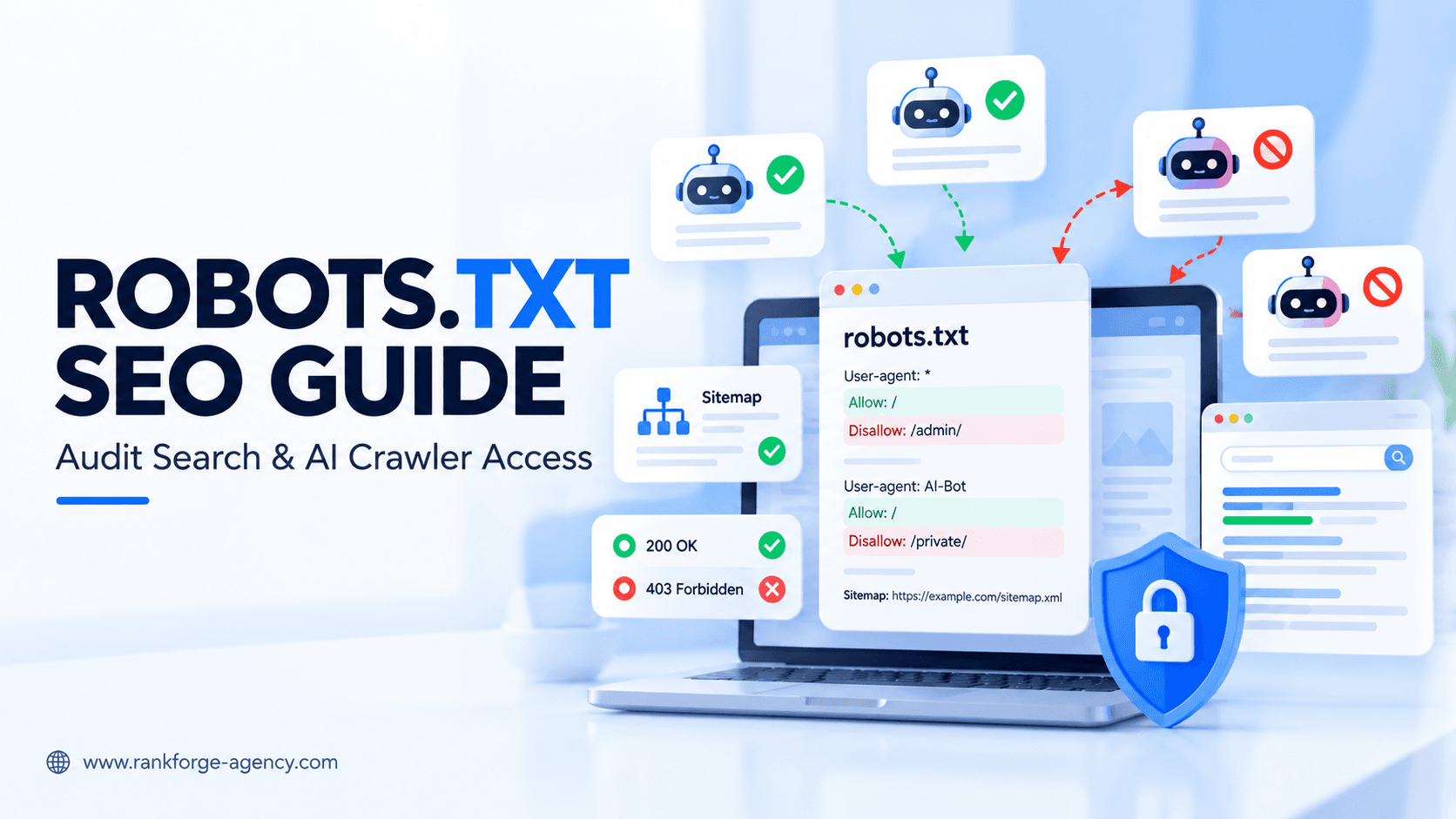
Robots.txt SEO Guide: How to Audit Search Engine and AI Crawler Access
A robots.txt file looks simple, but a single incorrect rule can affect how search engines and AI crawlers interact with an entire section of your website.
For SEO, the main purpose of robots.txt is to control crawling, not indexing.
That distinction matters.
A page blocked in robots.txt may still appear in search results if search engines discover the URL elsewhere. At the same time, blocking a page can prevent crawlers from seeing page-level directives such as noindex.
Modern robots.txt audits also need to go beyond Googlebot. Depending on your goals, you may want to review access for:
- Googlebot
- Bingbot
- OAI-SearchBot
- GPTBot
- Claude-SearchBot
- ClaudeBot
- PerplexityBot
- Google-Extended
- Other legitimate search and AI crawlers
This guide explains how robots.txt works, what to audit, which crawler rules matter, common mistakes to avoid, and how to check search-engine and AI crawler access without creating conflicting directives.
What Is robots.txt?
robots.txt is a plain-text file located at the root of a host.
For example:
https://example.com/robots.txtIt tells compliant crawlers which URL paths they are allowed or disallowed from crawling.
A very basic robots.txt file might look like this:
User-agent: *
Disallow: /admin/
This tells compliant crawlers that the /admin/ path should not be crawled.
Google's documentation describes robots.txt primarily as a way to manage crawler traffic. It is not the recommended mechanism for keeping a normal web page out of Google Search.
Official reference: Google's robots.txt introduction
score = (business_value * ranking_gap) / implementation_effortrobots.txt Controls Crawling, Not Indexing
This is the most important concept in robots.txt SEO.
A rule such as:
User-agent: Googlebot
Disallow: /private-page/
tells Googlebot not to crawl that path.
It does not necessarily guarantee that the URL itself will never appear in Google.
Google explains that a disallowed URL can still be discovered through links and may appear in search results without a normal snippet.
If your goal is to prevent a page from appearing in search, use an appropriate indexing control such as:
<meta name="robots" content="noindex">or an X-Robots-Tag header where appropriate.
Google also notes that noindex must be crawlable for Google to see and apply it.
Official reference: Google noindex documentation
For a deeper explanation of this distinction, see our guide to Crawlability vs Indexability.
Where Should the robots.txt File Be Located?
The file needs to live at the root of the host it controls.
Correct:
https://example.com/robots.txtIncorrect:
https://example.com/folder/robots.txtSubdomains need their own robots.txt file.
For example:
https://shop.example.com/robots.txt
https://blog.example.com/robots.txt
are separate from:
https://example.com/robots.txtA robots.txt audit should therefore include every important host and subdomain, not only the main domain.
Basic robots.txt Syntax
The main fields most website owners need to understand are:
User-agentDisallowAllowSitemap
Google's crawler documentation supports these fields and explains that path matching is case-sensitive.
Official reference: How Google interprets robots.txt
User-agent
The User-agent field identifies which crawler a group of rules applies to.
Example:
User-agent: GooglebotA wildcard applies to all crawlers that use the general group:
User-agent: *Disallow
Disallow tells a crawler not to access matching paths.
Example:
Disallow: /checkout/Allow
Allow creates an exception within a broader blocked area.
For example:
User-agent: Googlebot
Disallow: /private/
Allow: /private/public-guide/
Sitemap
The Sitemap field can point crawlers toward an XML sitemap.
Example:
Sitemap: https://example.com/sitemap.xmlThe sitemap URL should be absolute, including the protocol and host.
A Simple SEO-Friendly robots.txt Example
A small public website may only need something like:
User-agent: *
Disallow: /wp-admin/
Allow: /wp-admin/admin-ajax.php

Sitemap: https://example.com/sitemap_index.xml
Do not copy this blindly.
The correct file depends on:
- CMS
- site architecture
- ecommerce features
- filters and parameters
- private areas
- search pages
- staging environments
- crawler policy
The best robots.txt file is usually the simplest one that accurately reflects the site's needs.
Search Engine Crawlers to Audit
A modern SEO audit should review access for the search engines that matter to the business.
Googlebot
Google Search uses Googlebot to crawl web content.
If you want important public pages to appear in Google Search, avoid blocking Googlebot from those URLs.
Example:
User-agent: Googlebot
Allow: /
Official reference: Google crawler documentation
Bingbot
Microsoft Bing uses bingbot.
Bing has long supported robots.txt and provides a robots.txt testing workflow in Bing Webmaster Tools.
Example:
User-agent: bingbot
Allow: /
Official reference: Bing Webmaster robots.txt guidance
For most normal public sites, a shared wildcard rule is often easier to maintain than separate groups unless you have a specific reason to treat crawlers differently.
AI Crawlers to Audit
AI search adds another layer to robots.txt management.
The important point is that different AI-related agents can serve different purposes.
OpenAI: OAI-SearchBot
OAI-SearchBot is used for ChatGPT search discovery.
If ChatGPT search visibility matters to your business, review whether this crawler is allowed.
Example:
User-agent: OAI-SearchBot
Allow: /
OpenAI says sites opted out of OAI-SearchBot will not be shown in ChatGPT search answers, although they may still appear as navigational links.
Official reference: OpenAI crawler documentation
OpenAI: GPTBot
GPTBot is separate from OAI-SearchBot.
OpenAI uses GPTBot for content that may be used to improve and train its generative AI foundation models.
A site can therefore allow search visibility while disallowing model-training crawling.
Example:
User-agent: OAI-SearchBot
Allow: /

User-agent: GPTBot
Disallow: /
That is a policy decision, not a universal SEO recommendation.
OpenAI: ChatGPT-User
ChatGPT-User is used for certain user-triggered requests rather than normal automatic crawling.
OpenAI notes that robots.txt may not apply in the same way to these user-initiated actions.
Use OAI-SearchBot rules when managing automatic ChatGPT search discovery.
Anthropic Crawlers
Anthropic documents separate agents for search, model development, and user-directed access.
Claude-SearchBot
Claude-SearchBot supports search discovery for Claude.
Example:
User-agent: Claude-SearchBot
Allow: /
ClaudeBot
ClaudeBot is associated with model-development crawling.
A website may choose to allow Claude search while disallowing ClaudeBot:
User-agent: Claude-SearchBot
Allow: /

User-agent: ClaudeBot
Disallow: /
Official reference: Anthropic crawler guidance
Claude-User
Claude-User is associated with user-triggered retrieval and is distinct from normal automated search crawling.
PerplexityBot
Perplexity documents PerplexityBot as a crawler used for search.
Example:
User-agent: PerplexityBot
Allow: /
Perplexity also documents Perplexity-User for user-triggered retrieval.
Official reference: Perplexity crawler documentation
Google-Extended
Google-Extended needs special treatment because it is not simply another Googlebot crawler.
Google describes it as a robots.txt product token used to control whether content Google has already crawled may be used for certain Gemini-related purposes.
Google states that Google-Extended does not control inclusion in Google Search and is not a ranking signal.
Example:
User-agent: Google-Extended
Disallow: /
does not mean the same thing as:
User-agent: Googlebot
Disallow: /
The first controls specific Gemini-related uses. The second can directly affect Google Search crawling.
Official reference: Google common crawlers and Google-Extended
Search Crawlers vs AI Search vs Training Crawlers
A useful robots.txt policy starts by separating crawler purposes.
| Purpose | Examples |
|---|---|
| Traditional search crawling | Googlebot, Bingbot |
| AI search discovery | OAI-SearchBot, Claude-SearchBot, PerplexityBot |
| Model-development crawling | GPTBot, ClaudeBot |
| User-triggered retrieval | ChatGPT-User, Claude-User, Perplexity-User |
| Product control token | Google-Extended |
This is much more precise than simply blocking every user-agent containing the word "AI."
For a deeper technical review, see AI Crawler Access: How to Check Whether ChatGPT, Claude, Perplexity & Google Can Crawl Your Website.
How to Audit robots.txt Step by Step
A good robots.txt audit should answer two questions:
- Are important crawlers blocked accidentally?
- Are low-value or private crawl paths being handled intentionally?
Step 1: Open the Live File
Visit:
https://yourdomain.com/robots.txtConfirm that the file:
- loads publicly
- returns a normal response
- is plain text
- is on the correct host
- does not redirect unexpectedly
If the file does not exist, that usually means compliant crawlers are not receiving custom restrictions from robots.txt.
That is not automatically a problem.
Step 2: Review the Wildcard Group
Look for:
User-agent: *This group may apply to many crawlers unless a more specific group is present.
A dangerous example is:
User-agent: *
Disallow: /
This blocks compliant crawlers from the entire host.
This is a common staging rule that sometimes gets pushed to production accidentally.
Step 3: Review Important Directories
Identify strategically important site sections such as:
/services//products//locations//blog//case-studies/
Make sure broad disallow rules are not blocking these sections unintentionally.
For example:
Disallow: /services/would be a serious problem if service pages are intended to rank.
Step 4: Review CMS-Specific Paths
CMS platforms often generate URLs that do not need heavy crawling.
Examples may include:
- admin areas
- internal search
- cart pages
- account pages
- preview URLs
- parameter combinations
Do not block them automatically.
First confirm:
- whether the URLs are crawlable
- whether they are indexable
- whether they create crawl waste
- whether other controls already handle them
Step 5: Check Sitemap References
A useful robots.txt file may include one or more sitemap declarations.
Example:
Sitemap: https://example.com/sitemap.xmlor:
Sitemap: https://example.com/sitemap_index.xmlCheck that the sitemap:
- exists
- returns
200 OK - contains canonical URLs
- does not contain obvious errors
- is appropriate for the current site
A stale sitemap URL in robots.txt can create unnecessary confusion.
Step 6: Audit Search-Engine Crawlers
Review whether rules exist for:
Googlebot
bingbot
Then check whether those rules differ from the wildcard group.
If you create a crawler-specific group, make sure you understand which general restrictions need to be repeated.
Overly complicated crawler-specific groups are a common source of accidental access problems.
Step 7: Audit AI Search Crawlers
Review access for relevant AI search agents:
OAI-SearchBot
Claude-SearchBot
PerplexityBot
If AI search visibility is part of your strategy, confirm they are not being blocked accidentally.
Do not assume that allowing User-agent: * always reflects your intended AI policy if specific AI groups appear later in the file.
Step 8: Audit Training-Related Crawlers Separately
Review:
GPTBot
ClaudeBot
Decide deliberately whether you want to allow or disallow them.
Do not confuse this decision with AI search visibility.
Search access and training access are separate controls.
Step 9: Review Google-Extended Separately
If a Google-Extended rule exists, make sure stakeholders understand what it does.
A rule such as:
User-agent: Google-Extended
Disallow: /
does not block Google Search.
Avoid reporting Google-Extended as if it were equivalent to Googlebot.
Step 10: Test Important URLs
A robots.txt file can look correct while path matching still produces unexpected results.
Test:
- homepage
- service pages
- important blog posts
- product pages
- location pages
- sitemap URLs
- admin URLs
- parameter URLs
Bing Webmaster Tools includes a robots.txt testing workflow for Bingbot.
Google Search Console and URL Inspection can also help diagnose Google access and indexing issues.
Common robots.txt SEO Mistakes
Mistake 1: Blocking the Entire Website
Example:
User-agent: *
Disallow: /
This often happens when a staging robots.txt file reaches production.
For a public SEO site, it can severely restrict crawling.
Mistake 2: Using robots.txt to Remove Pages From Google
Robots.txt controls crawling.
It is not the correct mechanism for reliably removing standard HTML pages from Google's index.
If a page should be excluded from search but remain publicly accessible, use an appropriate noindex directive and allow the crawler to access it.
Google explicitly states that a page blocked in robots.txt prevents Google from seeing its noindex directive.
Mistake 3: Blocking CSS or JavaScript Needed for Rendering
Search engines may need important CSS and JavaScript resources to understand the rendered page.
Do not block essential resources simply because they live inside technical directories.
If rendering is affected, page understanding can suffer.
Mistake 4: Blocking Important Images
Google notes that robots.txt can be used to control crawling of image and video files.
If image search matters, do not block important image directories accidentally.
Mistake 5: Overusing Crawler-Specific Groups
A robots.txt file with dozens of user-agent groups is harder to maintain.
If several crawlers need the same rules, a clean wildcard group may be safer.
Use specific groups only when the policy genuinely differs.
Mistake 6: Forgetting About Subdomains
The robots.txt file on:
example.comdoes not automatically control:
shop.example.comAudit each important host separately.
Mistake 7: Blocking URLs That Need noindex
If a URL is blocked from crawling, a crawler may not see the noindex directive on that page.
This can create a conflict between your crawling and indexing goals.
Mistake 8: Assuming robots.txt Is a Security Feature
robots.txt is public.
Anyone can visit:
https://example.com/robots.txtDo not list sensitive URLs there as a way of protecting them.
Private content should use real access controls such as:
- authentication
- authorization
- password protection
- server-level security
Wildcards and Path Matching
Google supports limited wildcard matching in robots.txt path rules.
Two commonly used characters are:
*for zero or more characters$for the end of the URL
Example:
Disallow: /*?sort=could be used to match URLs containing a sort parameter pattern.
Example:
Disallow: /*.pdf$matches paths ending in .pdf.
Be careful with broad wildcards.
One pattern can unintentionally block far more URLs than expected.
Google's official robots.txt specification explains that path values are case-sensitive.
Reference: Google robots.txt specification
Allow vs Disallow Conflicts
When both Allow and Disallow rules could match a URL, crawler-specific parsing rules determine which rule applies.
For Google, matching specificity matters.
This is another reason not to create unnecessarily complicated robots.txt files.
If your rule set requires a spreadsheet to understand, simplify it where possible.
robots.txt and XML Sitemaps
The Sitemap directive is useful because it makes the sitemap location discoverable directly from robots.txt.
Example:
Sitemap: https://example.com/sitemap.xml
Sitemap: https://example.com/blog-sitemap.xml
Google supports multiple sitemap lines.
The sitemap declaration is not tied to a particular user-agent group.
Remember that sitemap inclusion does not override a robots.txt block.
A URL can be listed in the sitemap and still be disallowed from crawling.
That conflicting setup should be investigated.
robots.txt and Crawl Budget
Robots.txt can help prevent crawlers from spending time on some low-value URL spaces.
This can matter on very large sites with:
- faceted navigation
- endless parameter combinations
- internal search pages
- duplicate filters
- calendar archives
- session IDs
However, crawl budget is often overemphasized on smaller sites.
Do not block useful pages just to make a crawl report look cleaner.
Google advises using robots.txt for resources and areas you genuinely do not want crawled over the long term, not constantly adding and removing paths as a crawl-budget trick.
Official reference: Google crawl troubleshooting guidance
robots.txt and AI Visibility
Allowing an AI search crawler does not guarantee that your brand or content will appear in AI answers.
Crawler access only removes one possible technical barrier.
AI visibility can also depend on:
- content relevance
- authority
- external mentions
- citations
- entity understanding
- freshness
- internal linking
- indexation
- topic coverage
If your crawler rules are correct but AI visibility remains weak, measure the broader problem.
See our guide to AI Visibility Checker: How to Measure Your Brand in ChatGPT, Google AI Mode & AI Overviews.
Example robots.txt Policies
There is no universal configuration, but the following examples show how different policies can be expressed.
Example 1: Broad Search Access
User-agent: *
Allow: /

Sitemap: https://example.com/sitemap.xml
This is simple and appropriate for some public sites.
Example 2: Allow Search Crawlers, Block Training Crawlers
User-agent: Googlebot
Allow: /

User-agent: bingbot
Allow: /

User-agent: OAI-SearchBot
Allow: /

User-agent: Claude-SearchBot
Allow: /

User-agent: PerplexityBot
Allow: /

User-agent: GPTBot
Disallow: /

User-agent: ClaudeBot
Disallow: /

Sitemap: https://example.com/sitemap.xml
This illustrates a policy distinction between search discovery and model-development crawling.
Whether that policy is appropriate depends on the organization.
Example 3: Block an Internal Search Area
User-agent: *
Disallow: /search/

Sitemap: https://example.com/sitemap.xml
This may make sense if the internal search area generates large numbers of low-value crawl URLs.
Always validate the actual URL structure before implementing rules.
How to Test robots.txt After Changes
After editing robots.txt:
- Open the live file in a browser
- Confirm the correct version was deployed
- Test important URLs
- Review Google Search Console
- Review Bing Webmaster Tools
- Check server logs
- Re-crawl the website
- Monitor important pages for unexpected changes
Do not assume the file is correct just because it has valid syntax.
The real question is whether it produces the intended crawler behavior.
OpenAI notes that changes to OAI-SearchBot robots.txt settings can take around 24 hours to be reflected in its systems.
Source: OpenAI crawler documentation
robots.txt Audit Checklist
Use this checklist during a technical SEO audit.
File Access
- Does
/robots.txtexist? - Does it load publicly?
- Is it on the correct host?
- Does it return a normal response?
- Are subdomains checked separately?
Search Crawlers
- Is Googlebot allowed to crawl important pages?
- Is Bingbot allowed where appropriate?
- Are crawler-specific groups necessary?
- Are important sections blocked accidentally?
AI Search Crawlers
- Is OAI-SearchBot allowed if ChatGPT search visibility is desired?
- Is Claude-SearchBot allowed if Claude search visibility is desired?
- Is PerplexityBot allowed if Perplexity visibility is desired?
Training and Product Controls
- Is GPTBot policy intentional?
- Is ClaudeBot policy intentional?
- Is Google-Extended understood correctly?
SEO Paths
- Are service pages crawlable?
- Are product pages crawlable?
- Are blog posts crawlable?
- Are location pages crawlable?
- Are important images and resources accessible?
Low-Value Areas
- Are admin paths handled appropriately?
- Are internal search URLs creating crawl waste?
- Are filter and parameter rules intentional?
- Are private areas protected with real security rather than robots.txt?
Sitemap
- Is the correct sitemap declared?
- Does the sitemap return
200 OK? - Is the sitemap current?
- Are sitemap URLs canonical and indexable?
Indexing Conflicts
- Are URLs blocked in robots.txt while also using
noindex? - Are sitemap URLs disallowed from crawling?
- Are blocked URLs supposed to rank?
When robots.txt Is Not the Right Tool
Do not use robots.txt when your actual goal is:
Keeping Sensitive Content Private
Use authentication or access control.
Removing a Page From Google
Use noindex, remove the page, or use the appropriate removal process.
Consolidating Duplicate Pages
Use canonicalization, redirects, internal-link cleanup, or URL architecture changes.
Preventing Search Result Snippets
Use robots meta or X-Robots-Tag controls such as nosnippet or max-snippet.
Google's current robots meta documentation states that some snippet controls also apply to Google AI Overviews and AI Mode.
Official reference: Google robots meta tag specifications
How RankForge Audits robots.txt
At RankForge, robots.txt is treated as one layer of crawler access, not as a complete crawlability diagnosis.
A technical robots audit should connect:
robots.txt → HTTP Access → Rendering → Internal Linking → Sitemap → Indexability → Search Visibility
That broader view helps avoid false conclusions.
For example:
- A crawler may be allowed in robots.txt but blocked by a firewall.
- A page may be crawlable but marked
noindex. - A page may be allowed and indexable but orphaned.
- A page may be listed in the sitemap while blocked from crawling.
- AI search crawlers may be blocked while traditional search crawlers are allowed.
Our Technical SEO Services review robots.txt alongside crawlability, indexability, server responses, canonicalization, rendering, internal linking, and search-engine diagnostics.
FAQ
What does robots.txt do for SEO?
robots.txt tells compliant crawlers which URL paths they may or may not crawl. It is mainly a crawl-management tool and is not a reliable method for keeping normal web pages out of search results.
Can robots.txt prevent a page from being indexed?
Not reliably. Google may still discover and show a blocked URL if it finds the URL elsewhere. If you need a page excluded from Google Search, use an appropriate noindex directive and allow Google to crawl the page so it can see that directive.
Should I allow OAI-SearchBot?
If you want your content to be eligible for ChatGPT search discovery, OpenAI recommends allowing OAI-SearchBot. This is separate from GPTBot, which is associated with model-training crawling.
Does blocking GPTBot remove my site from ChatGPT search?
No. OpenAI separates GPTBot from OAI-SearchBot. A site can block GPTBot while allowing OAI-SearchBot for ChatGPT search.
Does Google-Extended block Google Search?
No. Google states that Google-Extended does not control Google Search inclusion or rankings. Googlebot remains the crawler relevant to Google Search crawling.
Should every website have a complicated robots.txt file?
No. Many sites only need a simple file. Complex rules should be added only when there is a clear crawl-management or crawler-policy reason.
Final Thoughts
A good robots.txt SEO audit is not about creating the longest possible list of crawler rules.
It is about making sure the right crawlers can reach the right content while low-value or intentionally restricted areas are handled correctly.
For traditional search, review:
- Googlebot
- Bingbot
For AI search visibility, review:
- OAI-SearchBot
- Claude-SearchBot
- PerplexityBot
For separate training or product-use decisions, review:
- GPTBot
- ClaudeBot
- Google-Extended
Then check for conflicts involving:
noindex- XML sitemaps
- canonicals
- server errors
- CDN and firewall rules
- JavaScript rendering
- internal linking
robots.txt is only one layer of technical SEO, but mistakes at this layer can affect large sections of a website at once.
If you want a structured audit of crawler access, robots directives, indexability, rendering, and technical search visibility, explore our Technical SEO Services or contact RankForge Agency.
Ready to turn this into a roadmap?
RankForge can audit your site, prioritize the best opportunities, and build the growth system behind them.
Request free audit